

Find the fault before your customers do.
NexusQA is the testing built into Nexus, and the quality gate of the AI factory. Regression, API, visual, accessibility, speed, load, security and more run in one place, in the order most likely to find a fault first. AI explains every failure and can propose a fix, but only a person can accept it. Releases wait until the tests pass.
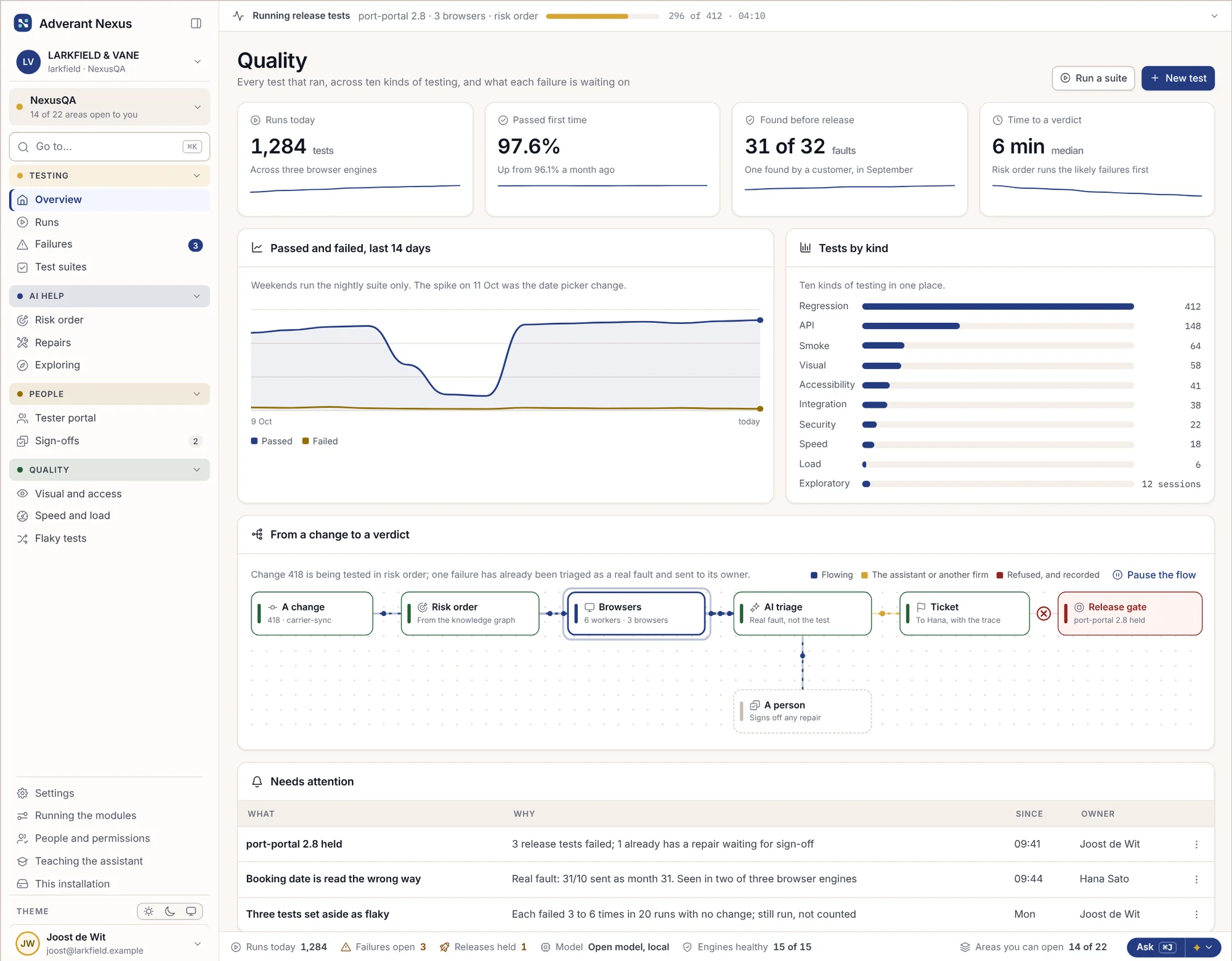
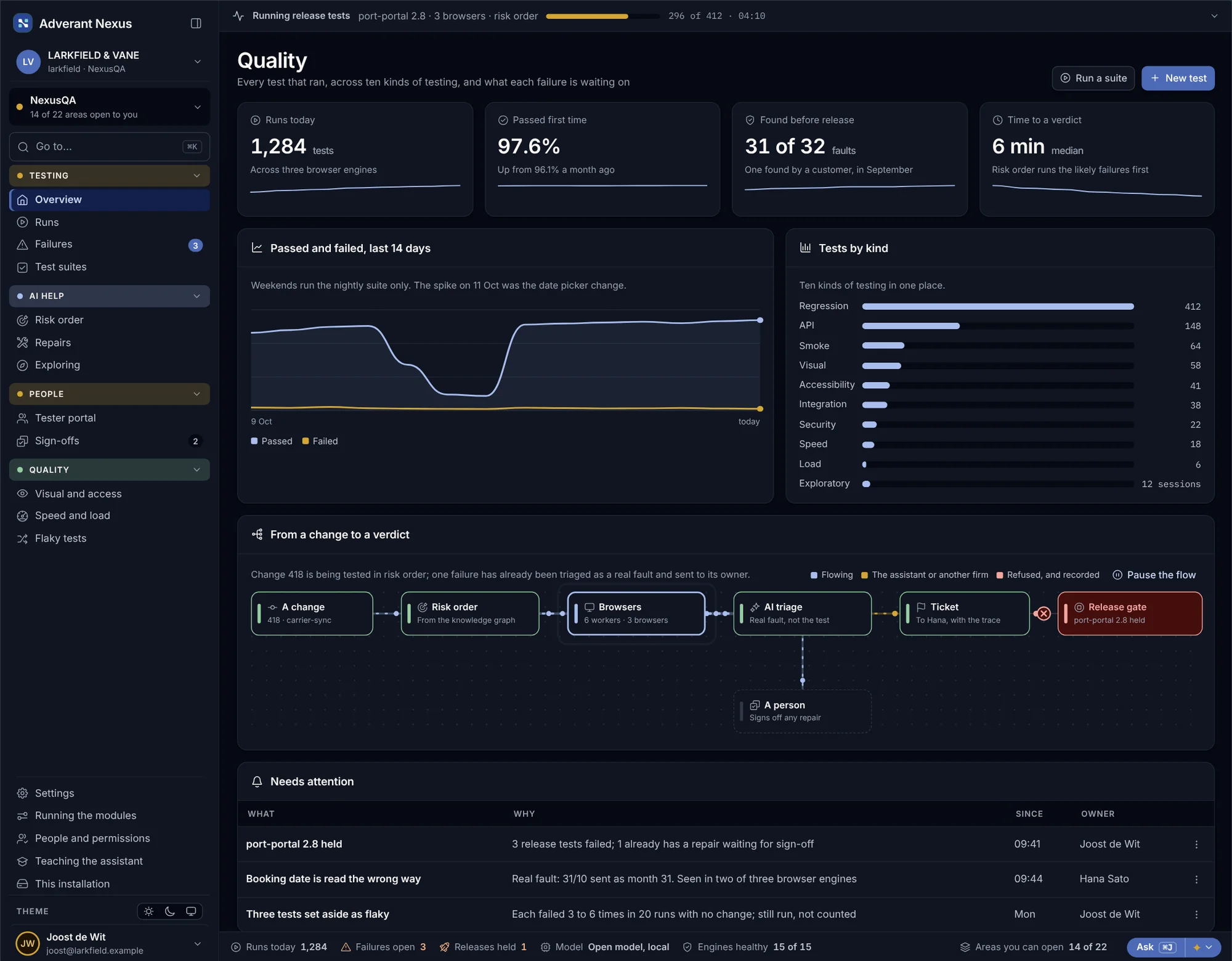
From a change to a verdict, in six steps.
Each step is automatic until a person is needed. Then it waits, and tells the right person why.
Connect
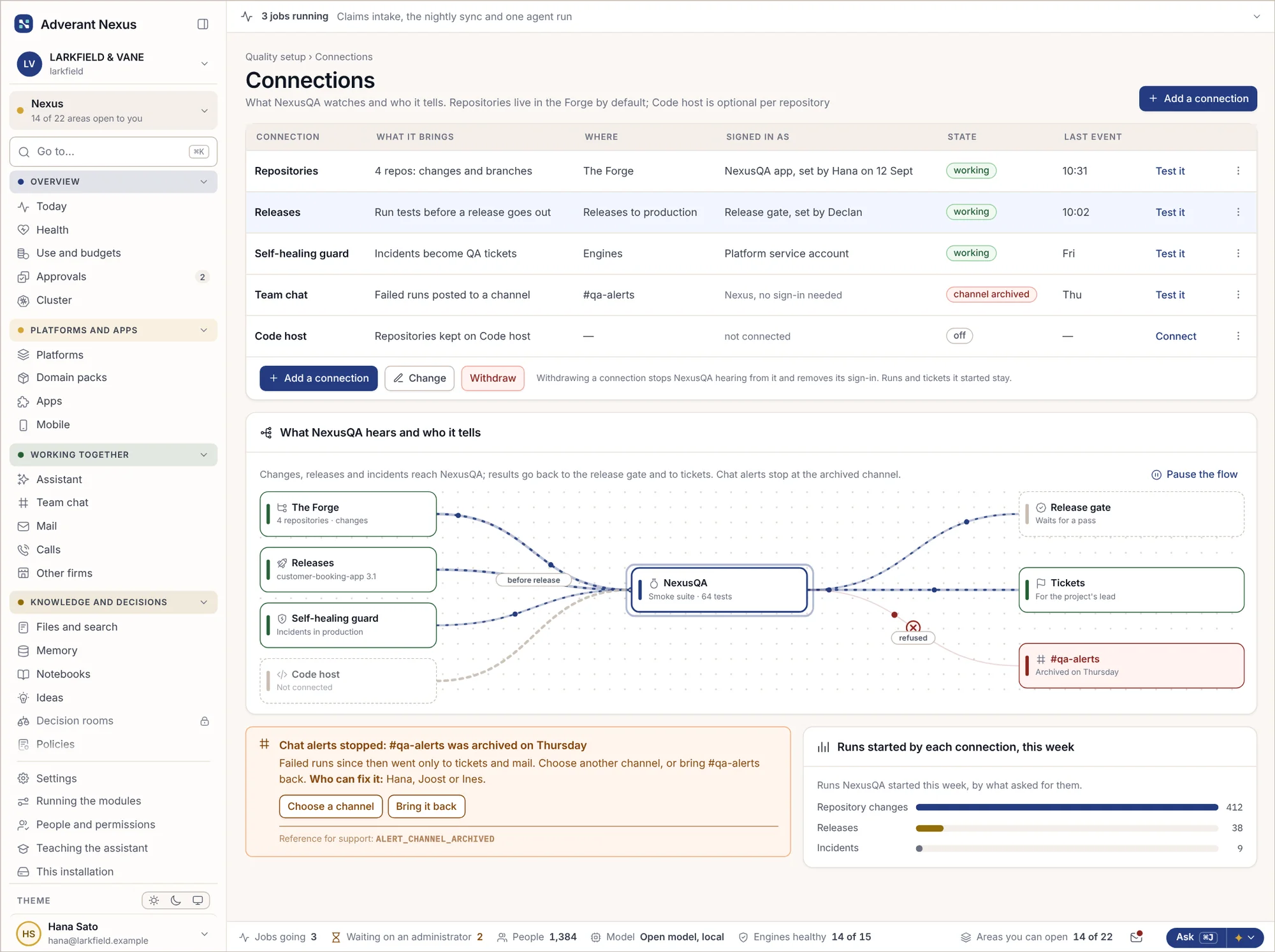
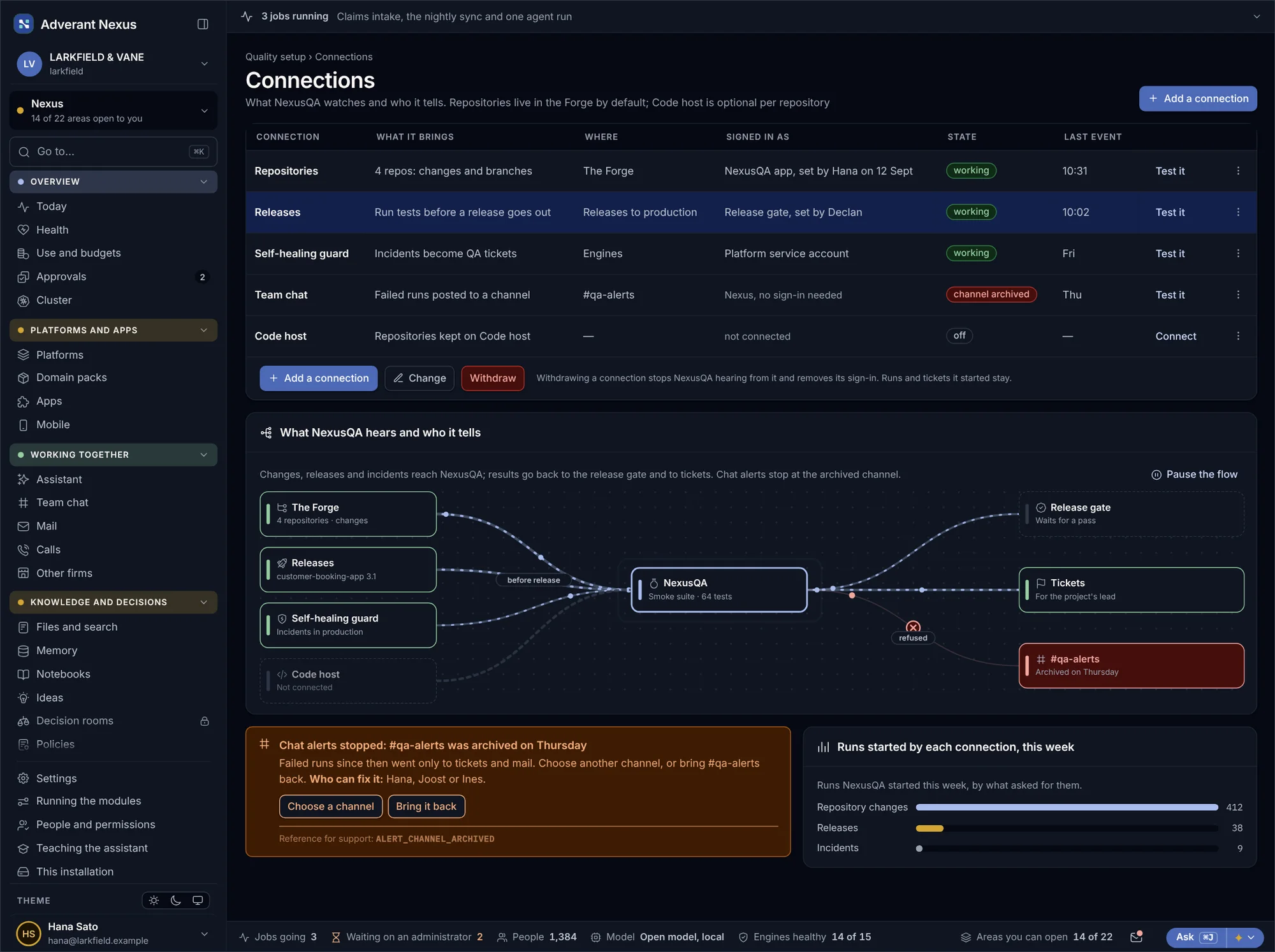
Point NexusQA at your repositories and releases. Changes, releases and even incidents start the right tests.
Write and record
Write tests, record them in the browser, or let AI draft them from a page. Ten kinds, one place.
Run in risk order
The knowledge graph knows which code each test touches, so the likely failures run first.
Explain
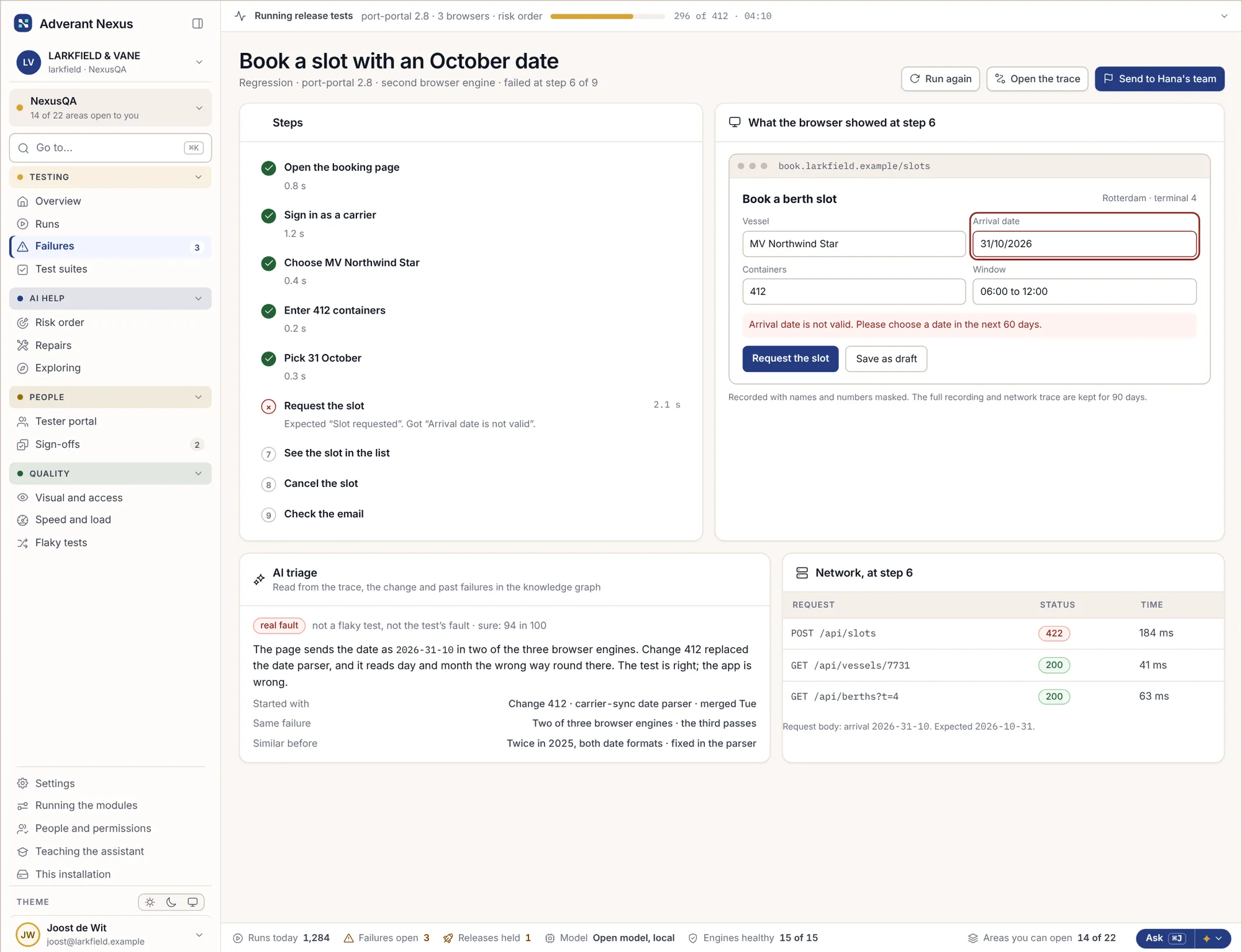
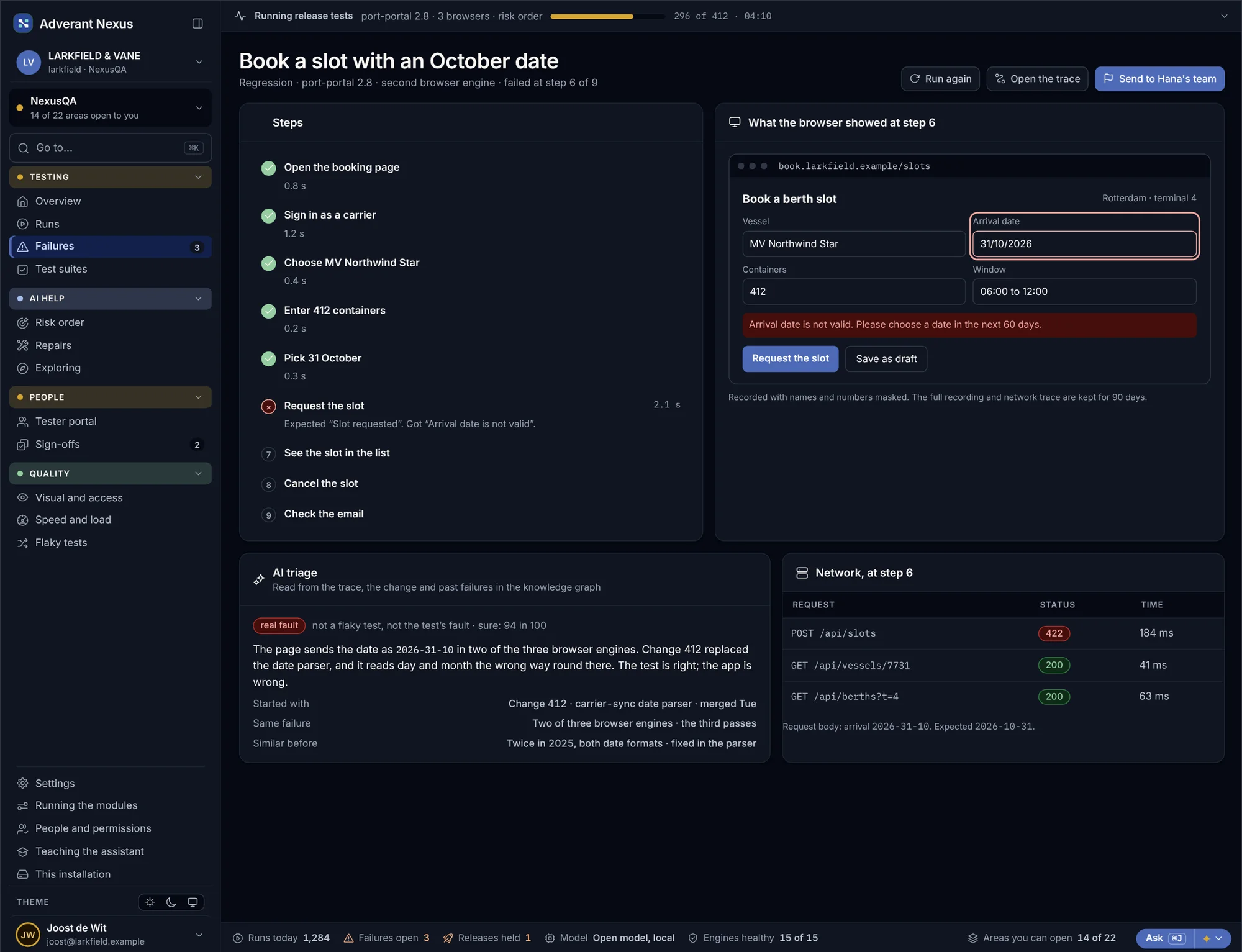
AI reads the trace, the change and past failures, and says whether it is the app, the test or the environment.
Repair
AI can propose a fix and test it on a branch. A person reads it and decides.
Release
The release waits until its tests pass, then goes through the Forge like any other change.
The likely failures run first.
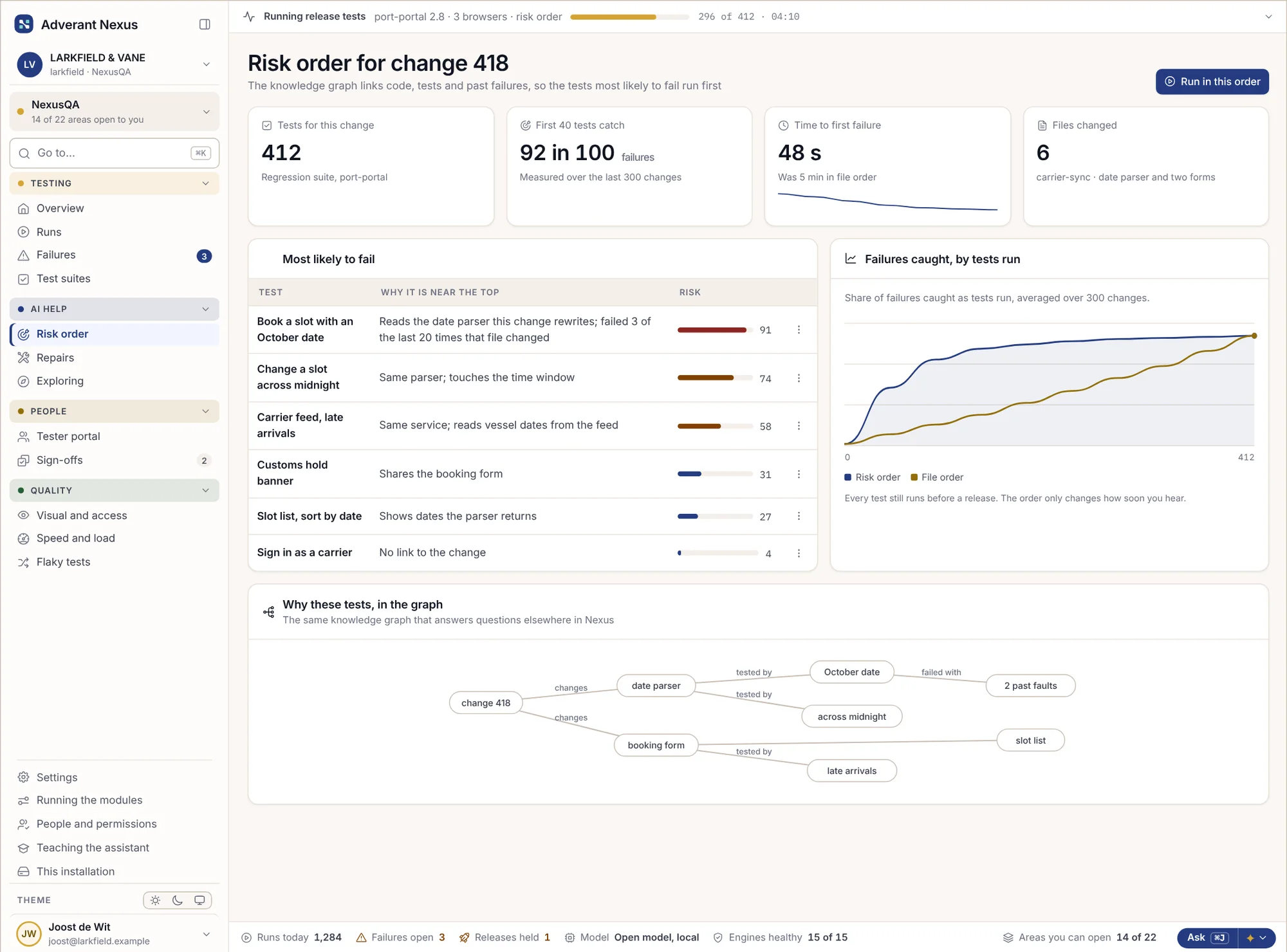
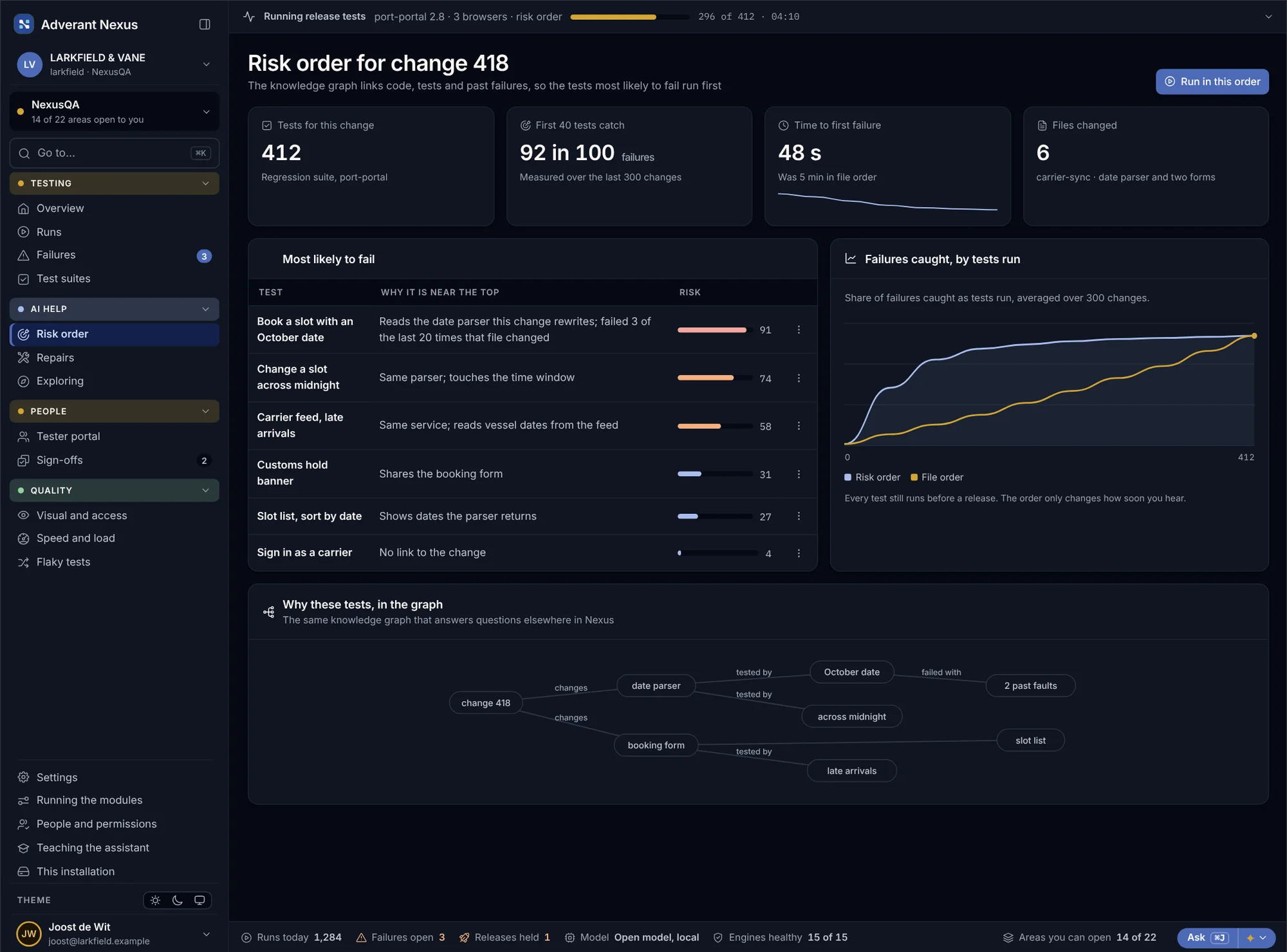
NexusQA uses the knowledge graph to link code, tests and past failures. When a change arrives, the tests most likely to break run first, so you hear about a fault in seconds rather than at the end of the suite. Every test still runs before a release.
Tests in risk order
Each test gets a risk score for this change, with the reason in words.
- Reasons, not just scores
- First failure in under a minute
Every release tests itself
Changes, releases and incidents start the right suites. Results go back to the release gate and to tickets.
- Releases wait for their tests
- Incidents start a check too
The app, the test or the environment?
A red test is only useful once you know why. NexusQA keeps the steps, the screen, the network and the recording, masked, and AI reads them with the change and past failures to tell you what broke.
- Steps, screen and network at the moment it failed
- AI triage with how sure it is
- Similar failures from the past, found in the graph
- Flaky tests set aside, still run, not counted
The AI proposes. A person accepts.
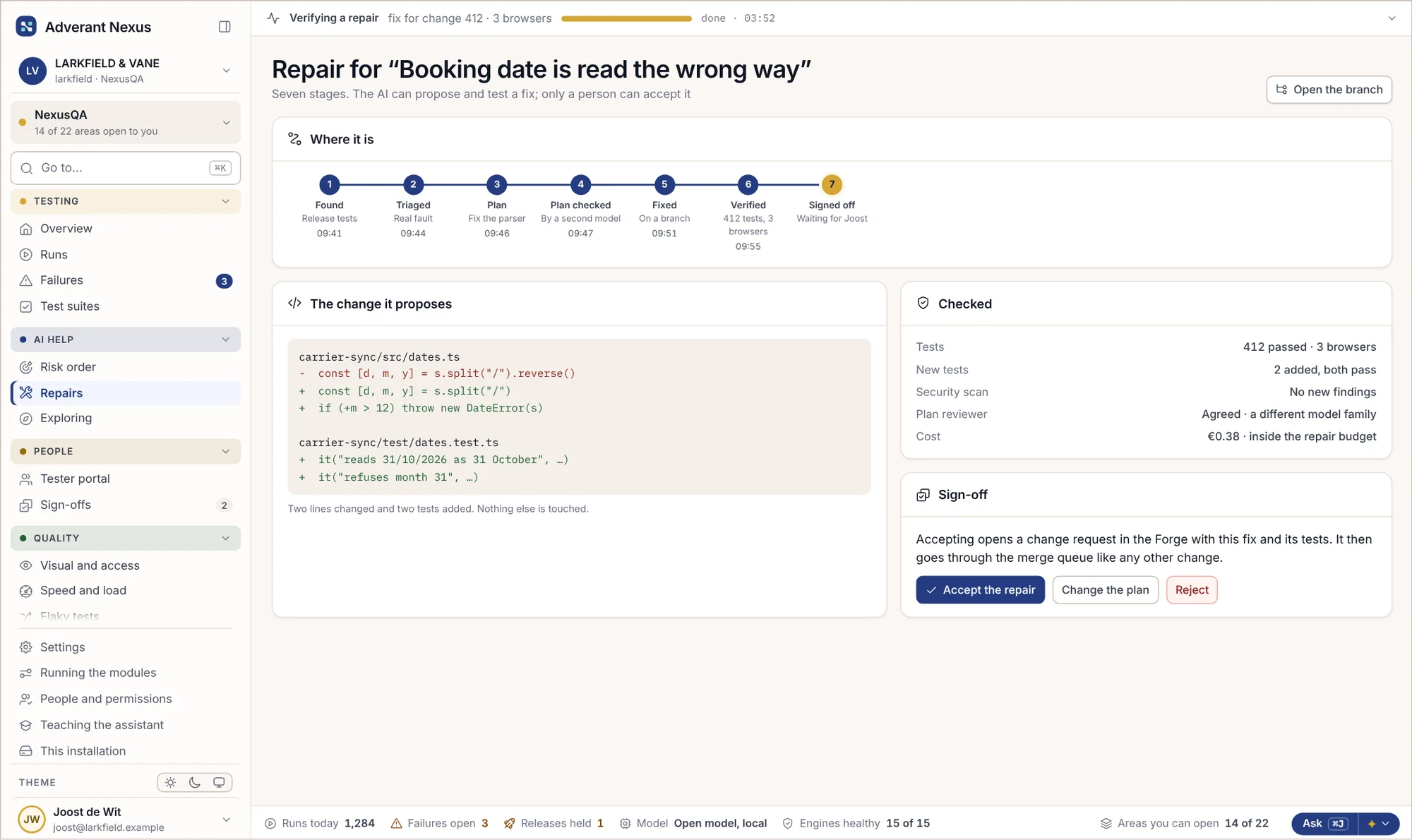
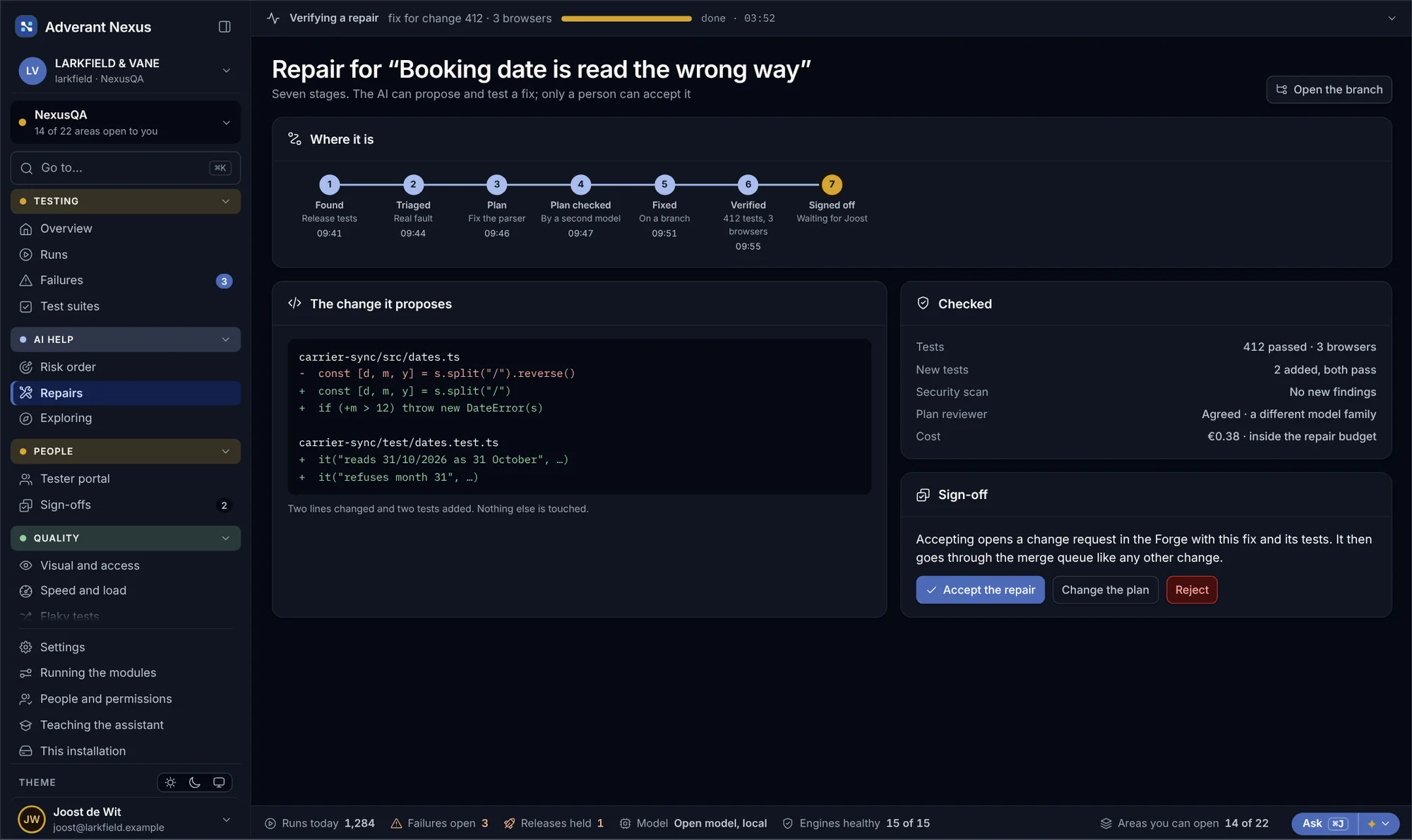
When a fault is clear, AI can plan a fix, have a second model check the plan, make the change on a branch and run every test. Then it stops. A person reads the change and decides, and an accepted fix goes through the merge queue like any other.
Seven stages, one signature
Found, triaged, planned, checked, fixed, verified and signed off. The last step is always a person.
- A second model checks the plan
- Only a person accepts
Which AI, and who is in charge
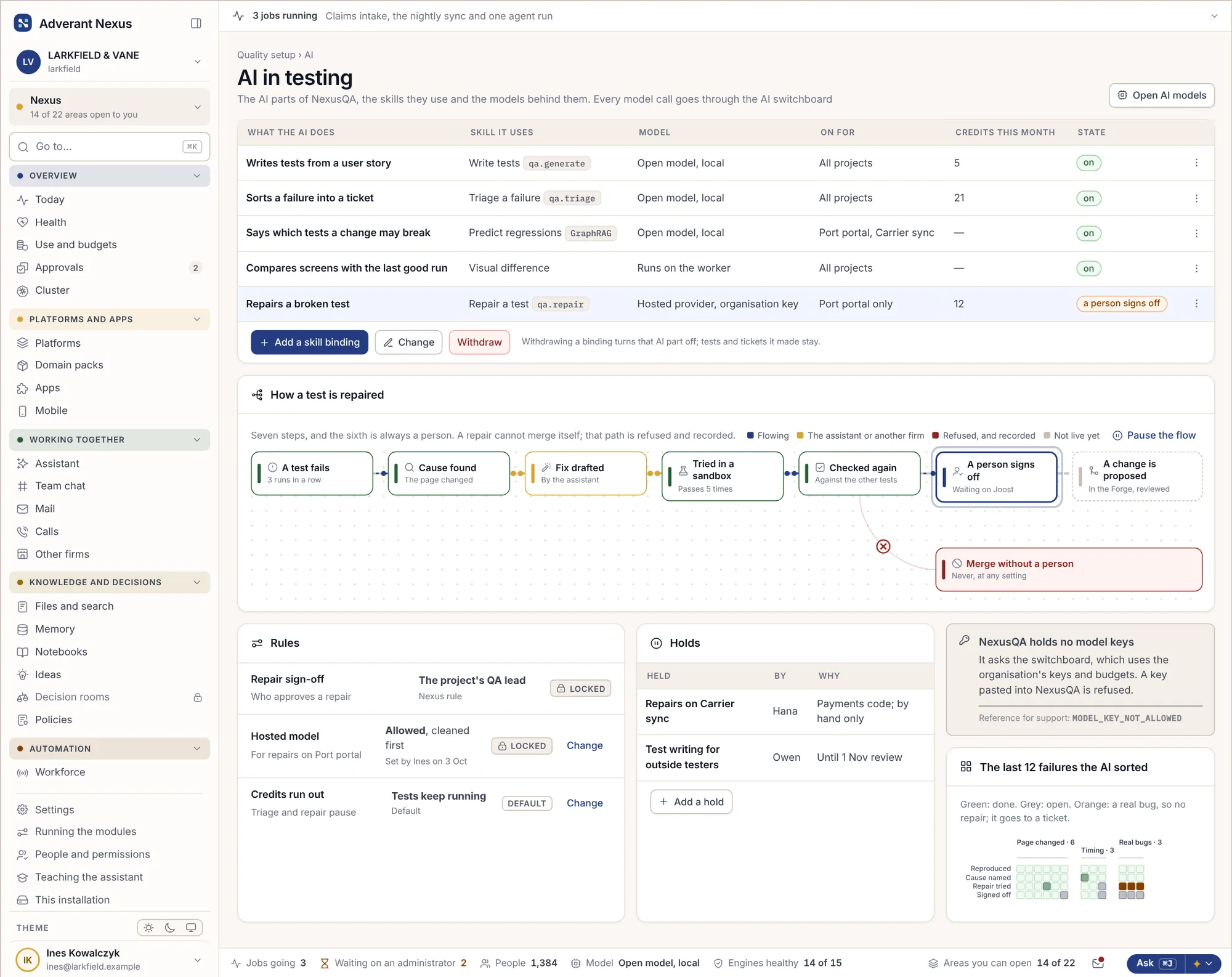
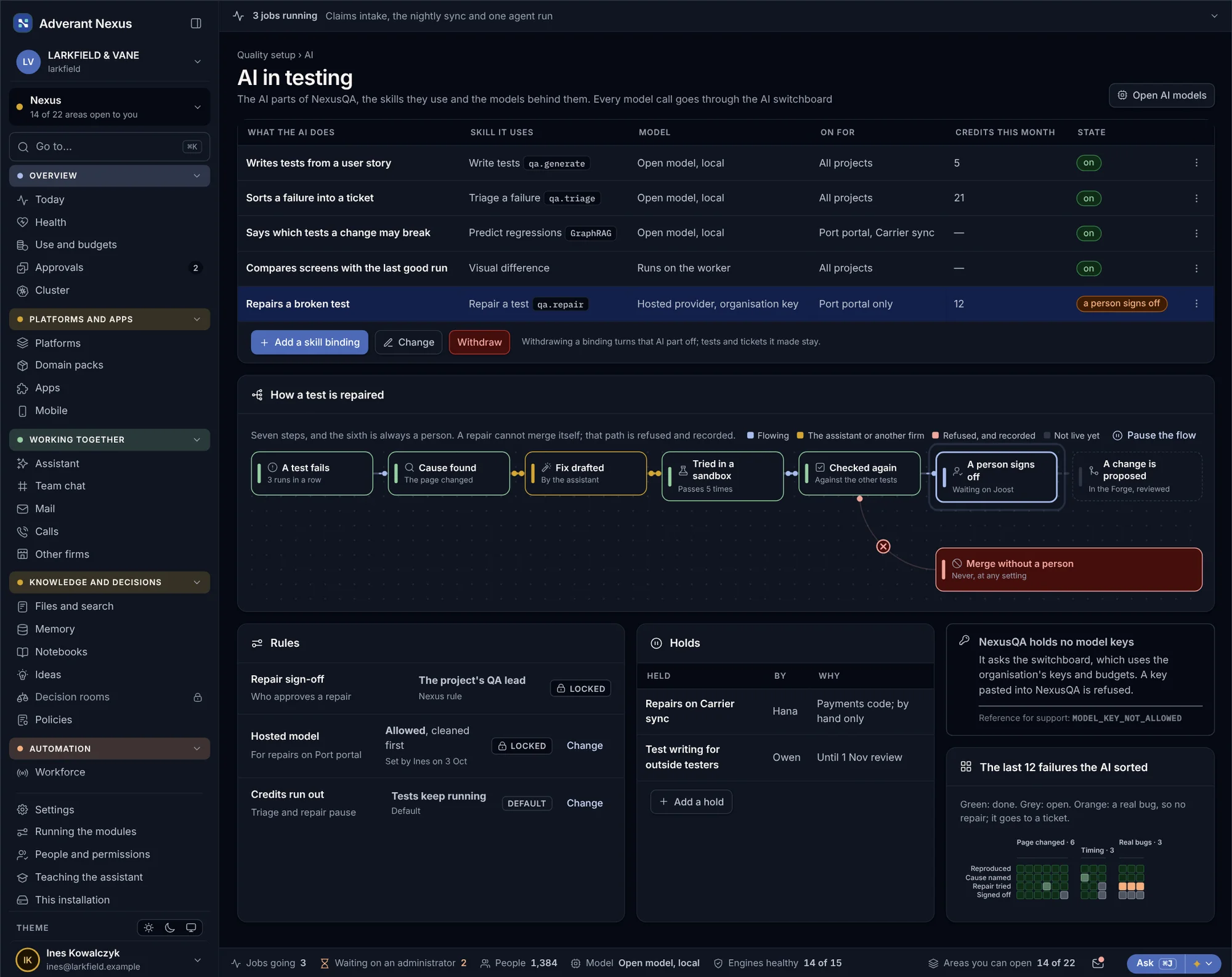
Every AI step runs through the switchboard, local model first, within a budget, with a person in charge of every repair.
- Local model first
- Budgets and caps per project
People test too, with everything captured.
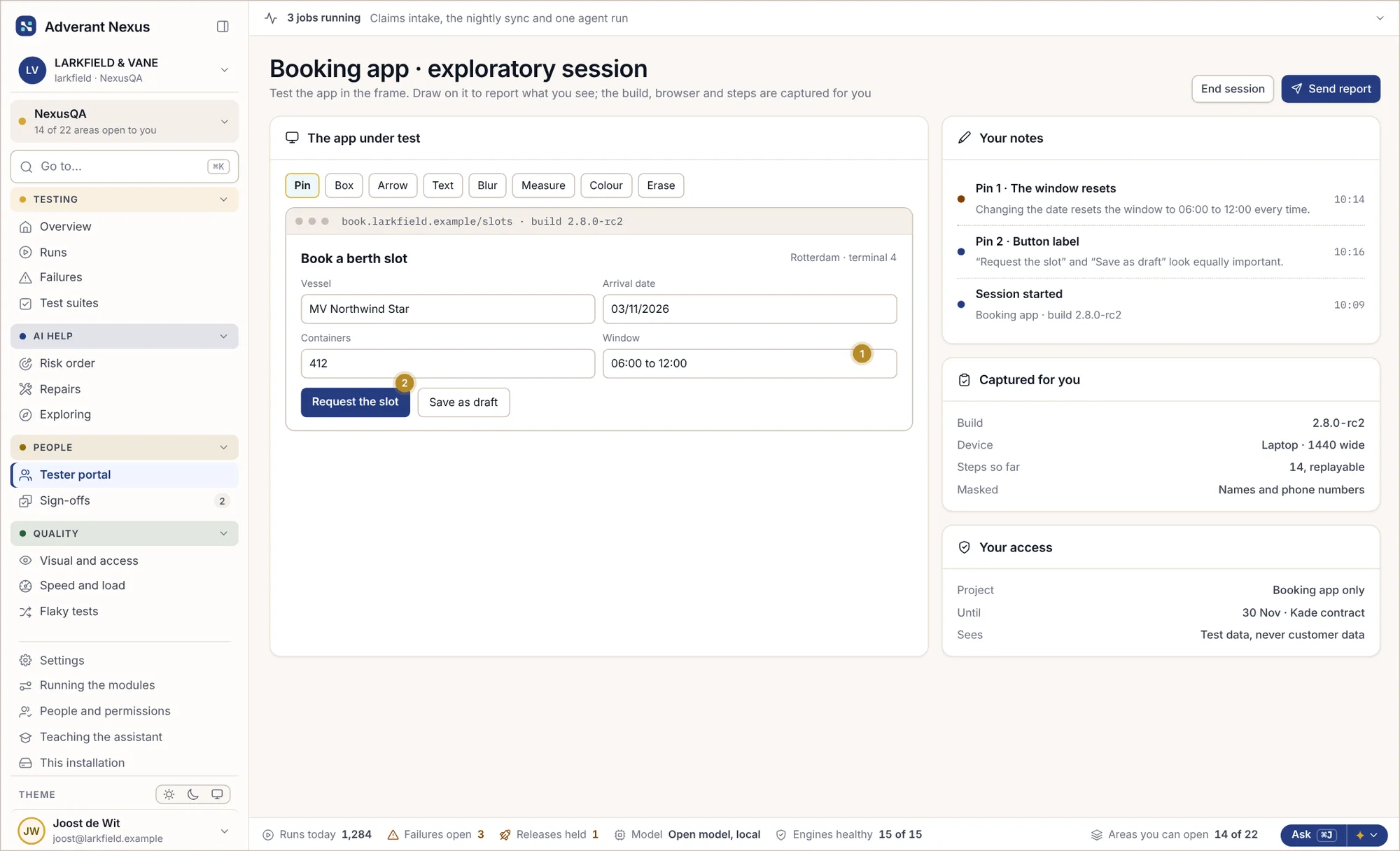
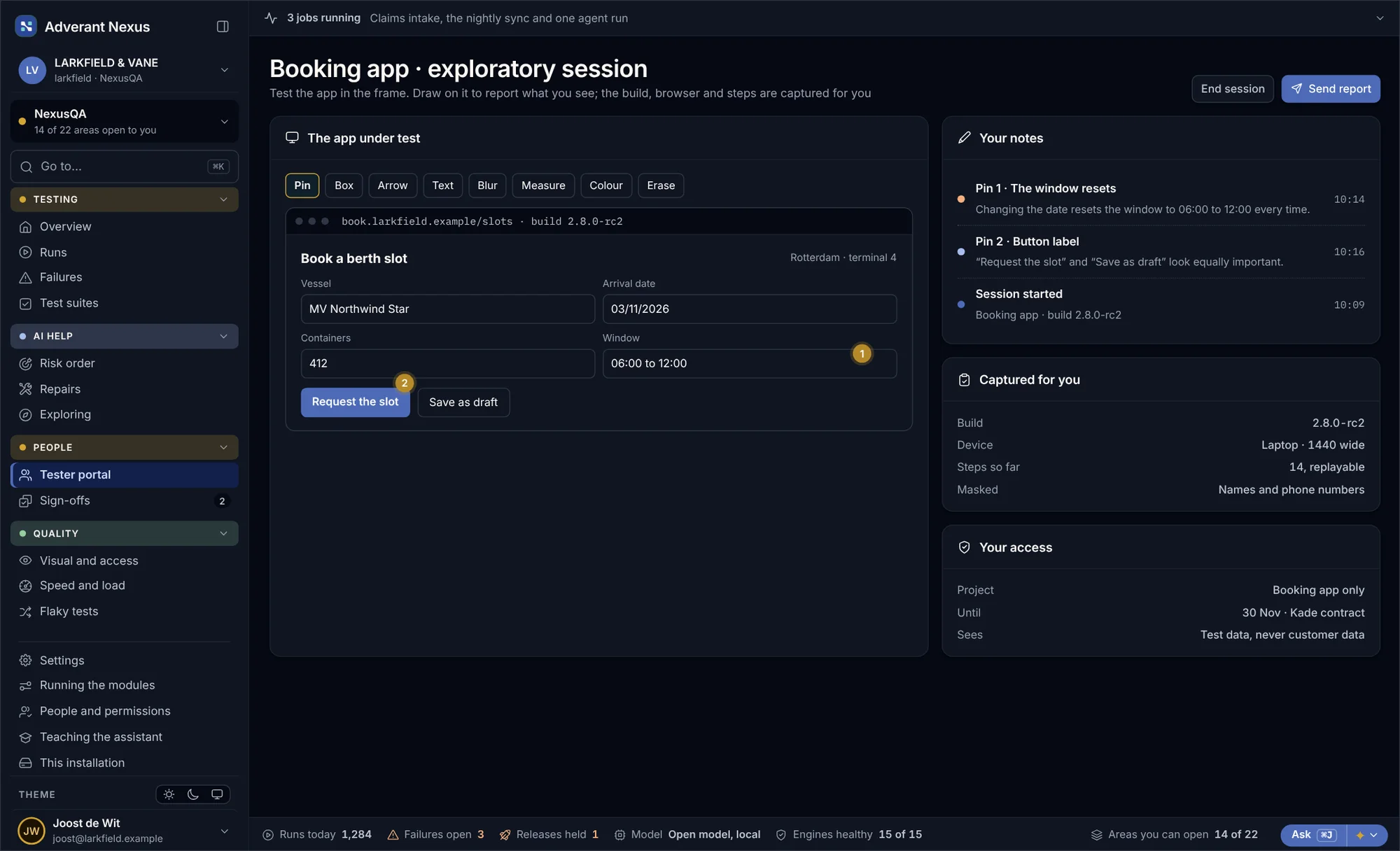
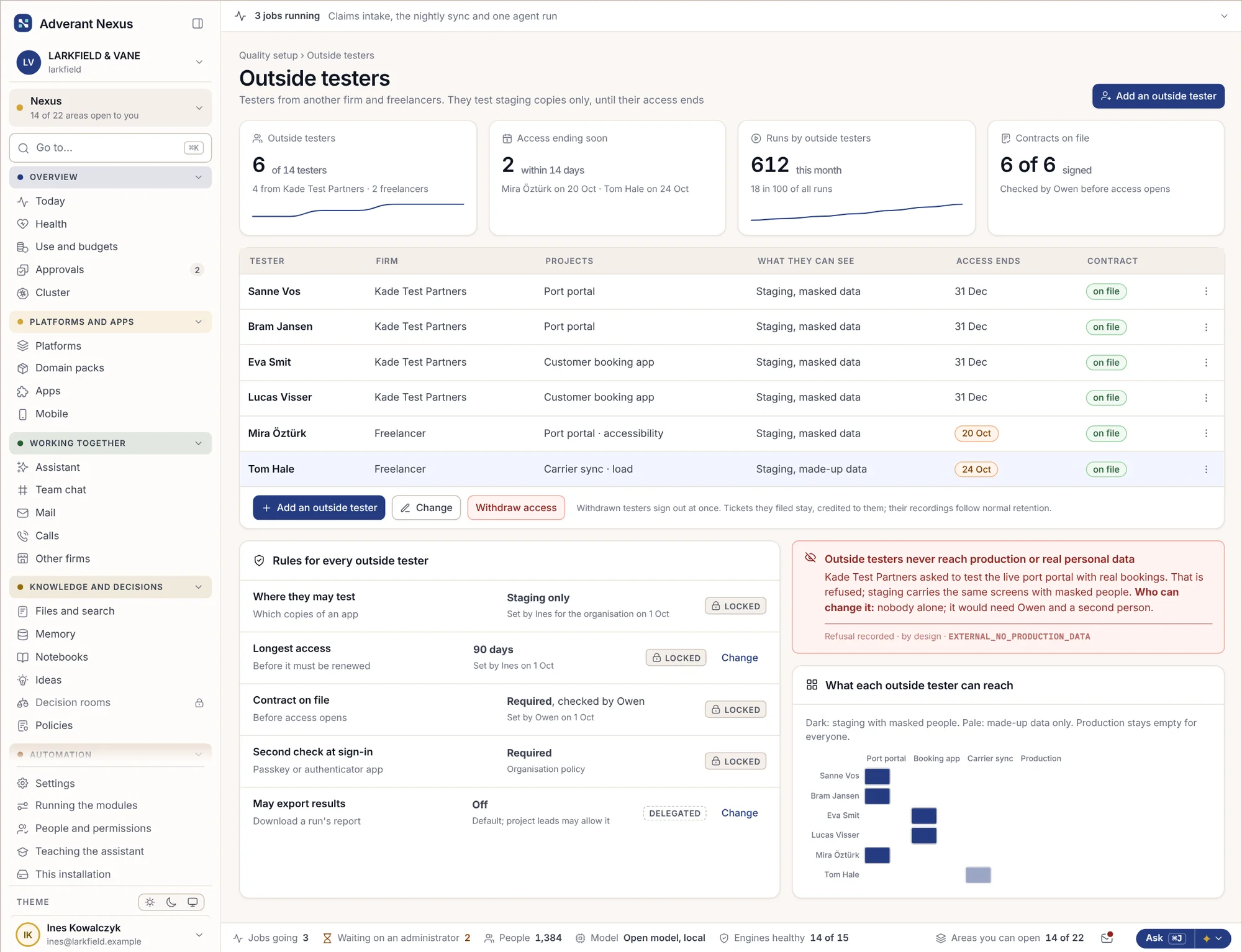
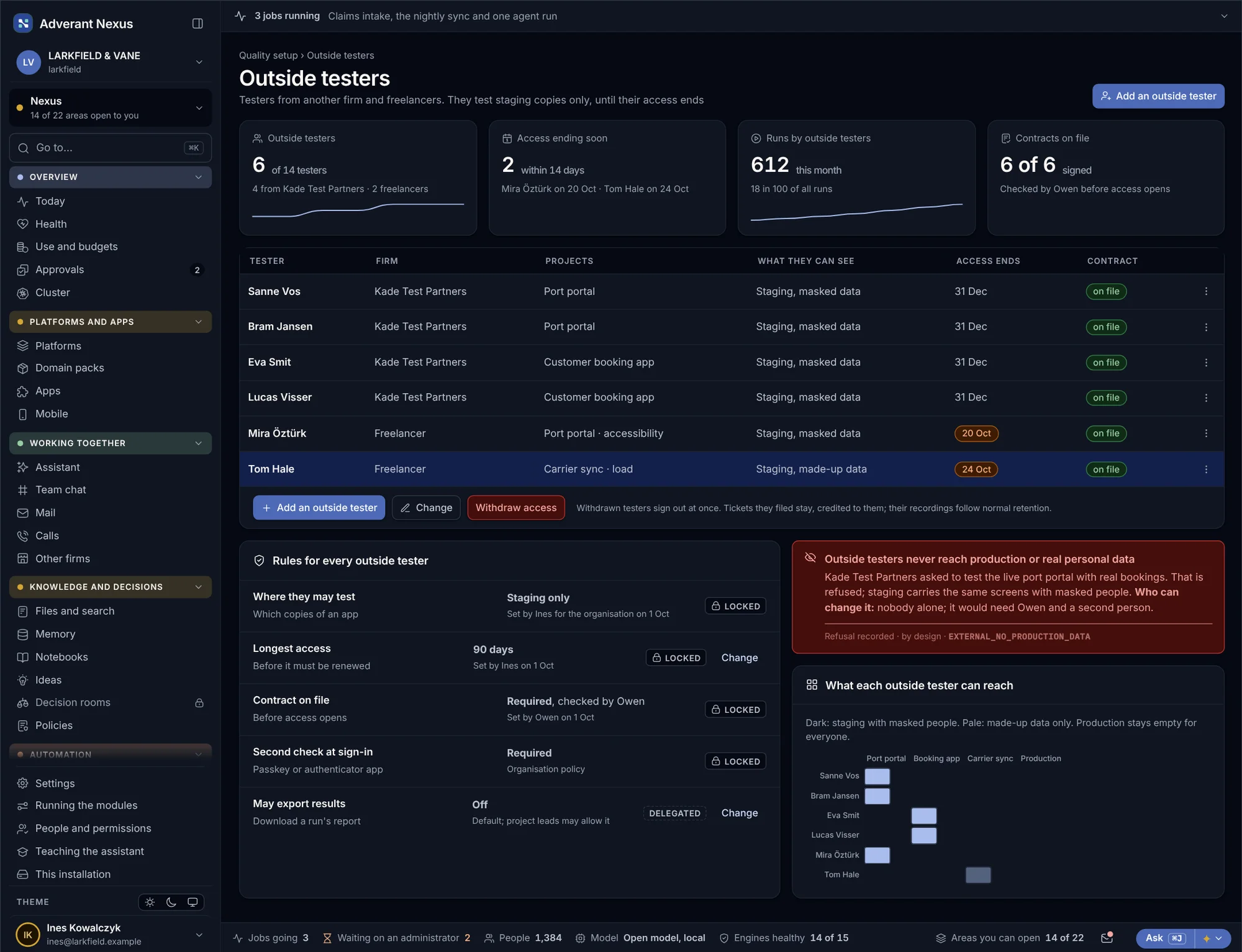
Some things only a person notices. Testers, including outside test partners, work in a portal: they use the app in a frame, draw on it, and the build, device and steps are captured for them. They see test data, never customer data.
Draw on it, send it
Pins, boxes, arrows and notes on the app itself, with every step replayable.
- Captured automatically
- Replayable steps
Partners, with limits
- One project, one contract
- Ended in one step
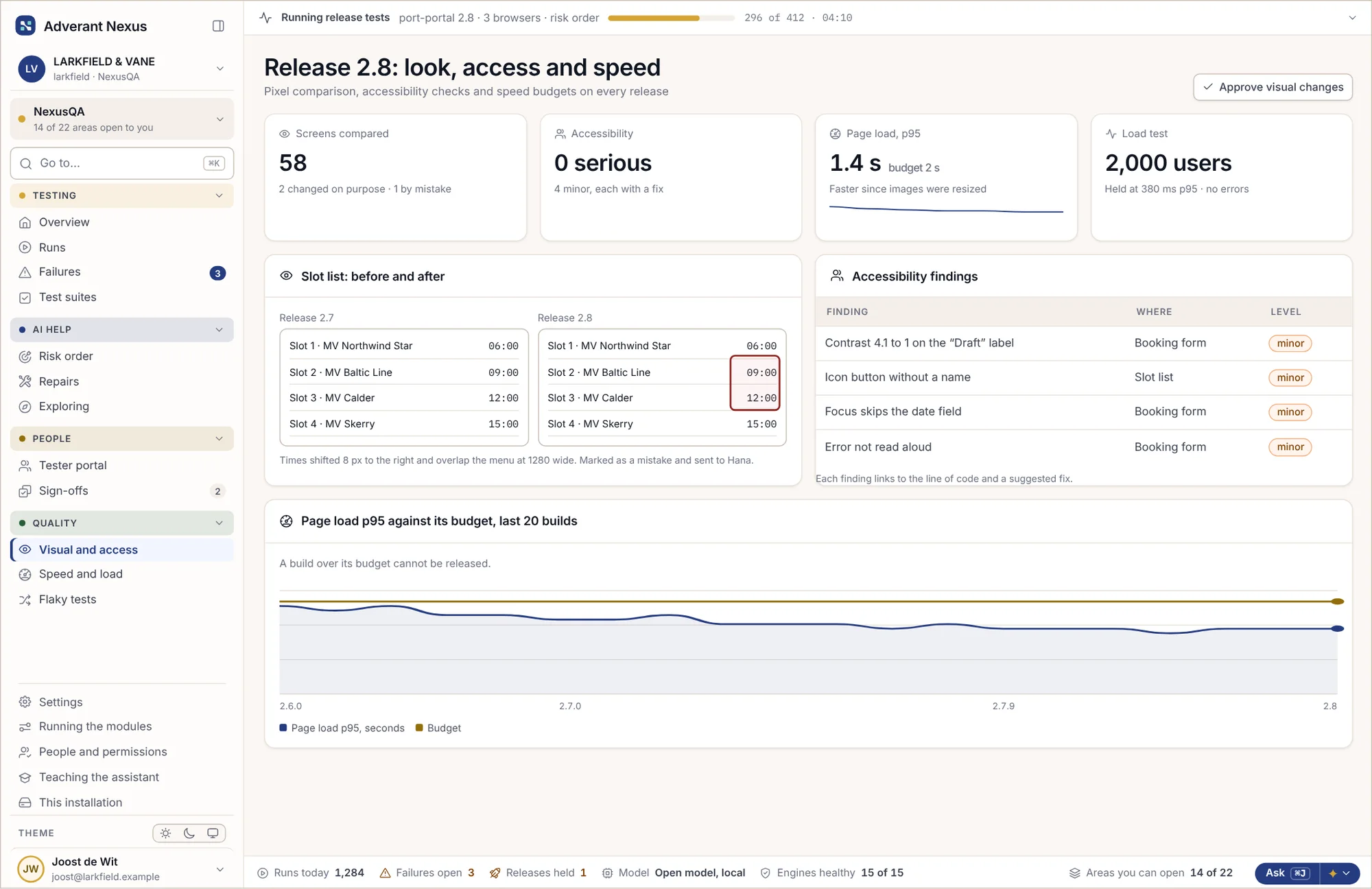
Looks right, works for everyone, stays fast.
Every release is compared screen by screen, checked for accessibility and measured against its speed budget. A build over budget cannot be released, and a change in how a page looks has to be approved.
- Pixel comparison, with changes approved
- Accessibility findings linked to the code
- Speed budgets and load tests on every release
About testing with NexusQA.
Which kinds of testing does it cover?
Regression, integration, smoke, API, visual, accessibility, security, speed, load and exploratory testing, in one place with one set of results.
Does AI change our code on its own?
No. AI can propose a fix and test it on a branch, but only a person can accept it, and an accepted fix goes through the merge queue like any other change.
How does risk order work?
The knowledge graph links each test to the code it touches and to past failures. For each change, the tests most likely to fail run first. Every test still runs before a release.
Can outside test partners use it?
Yes. They work in the tester portal, see only their projects and test data, and their access ends when their contract does.
Does it work with the Forge?
Yes. Changes and releases in the Forge start their tests, and a release waits until they pass. NexusQA also works with the code host you already use.
Go deeper
See NexusQA test something of yours.
Bring one app and one release. We will show you risk-ordered tests, an explained failure and a repair waiting for your sign-off.